Humanize AI
Rewrite drafts in selectable styles, adjust tone, and check text for AI indicators.
¿Qué es Humanize AI?
Funciones y características principales de Humanize AI
Cómo usarlo
- 1Open the Humanizer or Paraphrasing Tool page.
- 2Paste text into the input area or use the page’s file-upload control.
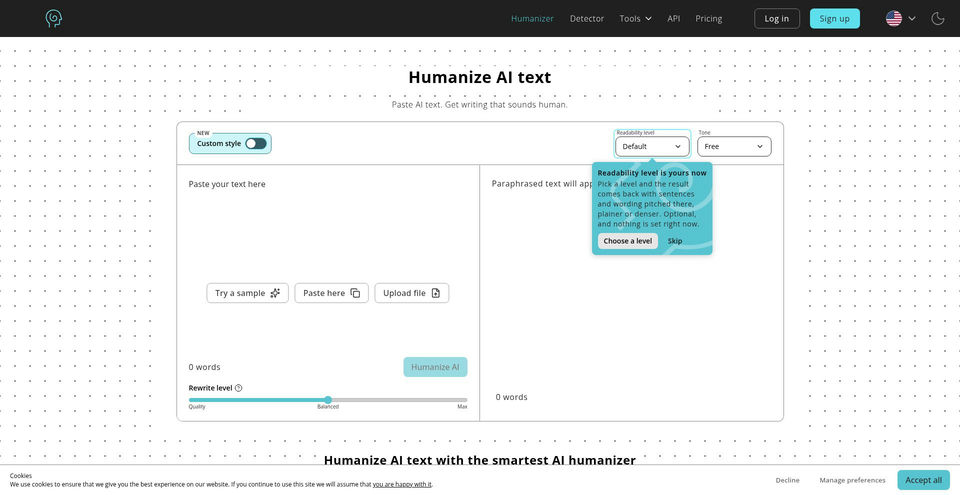
- 3Choose one of the seven modes and optionally set tone, writing level, or rewrite strength.
- 4Run the paraphrase and review the output against the source for meaning, accuracy, and required attribution.
- 5Use the separate Detector page to inspect text for AI indicators.
- 6Check the pricing page for current word allowances and billing periods before choosing a paid plan.
Casos de uso e ideas
- Adjust the tone of a business email or report.
- Simplify or expand a draft for a different audience.
- Improve flow and readability in an existing draft.
- Paraphrase source material for notes while retaining appropriate citations.
- Review writing with the separate AI detector as one limited signal.
Limitaciones y aspectos importantes
- The site’s public pages make broad claims about plagiarism-free output and bypassing AI detectors; these claims were not independently tested or substantiated.
- Its ethics statement says it does not create original research, facts, or citations and should not be used for plagiarism or cheating.
- The homepage FAQ claims free unlimited use without registration, while the Pricing page presents paid subscriptions with monthly word limits; the free allowance was not otherwise quantified.
- The Terms of Service route returned a blank page during review and was skipped.
- A built-in sample filled the editor, but the generate action exposed only an unreadable embedded frame; output was not verified.
Preguntas frecuentes sobre Humanize AI
The official paraphrasing page lists Standard, Academic, Formal, Simple, Flowing, Expand, and Shorten.
The homepage editor displays tone, writing-level, custom-style, and rewrite-strength controls.
The official paraphrasing page lists TXT, DOCX, PDF, and Markdown.
The homepage FAQ says registration is not required and claims unlimited free access, although the Pricing page also lists paid plans with monthly quotas.
Yes. The site has a separate Detector page; its results and performance were not independently tested in this review.
At review, the Pricing page showed Lite, Standard, and Unlimited. Annual billing displayed $4.99, $9.99, and $29.99 per month respectively; monthly billing displayed $9.99, $19.99, and $59.99 per month. Checkout was not opened.
It presents the tool as writing assistance, says it is not a replacement for the user’s ideas or original research, and discourages plagiarism and cheating.
Especificaciones del producto
Recursos y enlaces oficiales
Principales alternativas a Humanize AI
Explora otras soluciones destacadas de AI Writing Assistant con clasificaciones verificadas