Krea
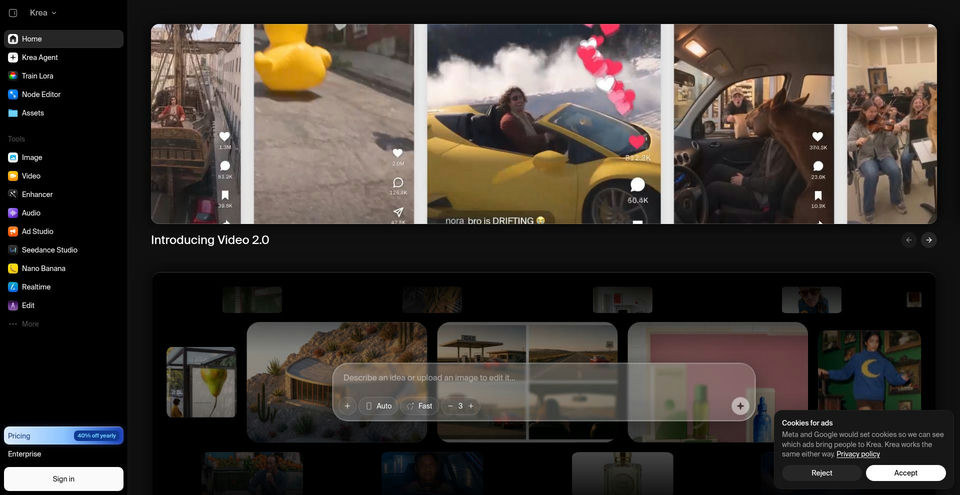
Generate and edit images, video, audio, and 3D assets in an AI creative workspace.
¿Qué es Krea?
Funciones y características principales de Krea
Cómo usarlo
- 1Open a tool such as Image, Video, Edit, Enhancer, Nodes, or Agent from the Krea workspace.
- 2Choose a model and configure its available prompt, reference, and output settings.
- 3For editing or enhancement, provide an image; for generation, enter a prompt and set output options.
- 4Review unit cost and plan allowance for the selected model, then start a generation when ready.
- 5For programmatic workflows, use the separate API pricing page and manage API credits independently from app compute units.
Casos de uso e ideas
- Create concept images and visual assets from text prompts.
- Edit, expand, and upscale existing images for campaign or design work.
- Generate and refine short-form video or image-to-video content.
- Create custom styles with LoRA training and reusable node workflows.
- Prototype creative concepts through real-time generation and Krea Agent.
- Integrate supported generative models into products using the Krea API.
Limitaciones y aspectos importantes
- The free consumer tier lists 100 compute units per day; paid tiers use monthly unit allowances and actual output counts depend on model and settings.
- The API uses a separate balance from consumer plan units, is billed per generation, and requires a minimum $5 credit top-up; API prices vary by model.
- The pricing page’s annual Basic price was inconsistent between its primary plan card and comparison table; check the current checkout display before subscribing.
- The public plan page lists commercial licensing as a tier entitlement; confirm the applicable tier and terms for intended commercial use.
- No generated output was made in this review because image and video generations consume compute units.
Preguntas frecuentes sobre Krea
The site lists image and video content, image edits and upscales, 3D assets, audio and lipsync work, LoRA models, node workflows, and AI-agent-assisted creation.
The pricing page lists 100 compute units per day and access to a selection of Krea tools and models; some capabilities are limited by plan.
Paid plans list monthly unit allowances, while relaxed generation and feature access vary by tier and model.
No. Krea’s API pricing page says API billing is separate from app compute units and uses pay-as-you-go pricing per generation.
The API page says users can prepay any amount from $5.00; failed jobs are not charged.
Yes. The pricing page lists image upscaling and LoRA training; supported limits depend on plan.
Commercial licensing is listed as a plan entitlement. Check the current plan details and Terms of Use for applicable rights.