LanguageTool
Check spelling, grammar, punctuation, and style, then rephrase text in different tones.
Qu’est-ce que LanguageTool ?
Fonctionnalités clés et points forts de LanguageTool
Comment l’utiliser
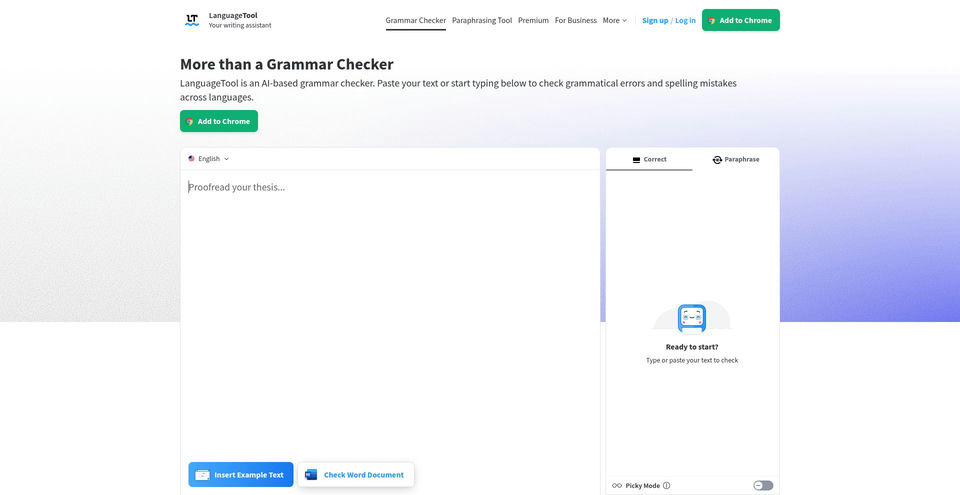
- 1Open the web editor or a supported browser, desktop, or document integration.
- 2Paste or type text and choose the language or variant to check.
- 3Review highlighted spelling, grammar, punctuation, and style suggestions, then apply the edits you want.
- 4For paraphrasing, select the text, choose a tone or rewrite mode, and review the suggested wording.
- 5Add specialized terms to the Personal Dictionary or define style preferences in the Style Guide.
Cas d’usage et idées
- Proofread emails, documents, and web copy for spelling and grammar.
- Improve punctuation, word choice, and readability while writing in supported apps.
- Rephrase a sentence to match a formal, concise, fluent, simple, academic, or other supported tone.
- Maintain consistent terminology and style across personal or team writing.
- Check multilingual text across supported languages and dialects.
Limites et points à connaître
- The free version focuses on spelling, basic punctuation, and some style issues; broader suggestions and unlimited AI paraphrasing are Premium features.
- Premium lists a maximum 150,000 characters per text field.
- Paraphrasing is available only for selected languages and variants; its page lists English, German, French, Dutch, Polish, Portuguese, and multiple English variants across tool descriptions.
- The Premium pricing page showed billing intervals but did not render numeric rates during review; actual price may depend on locale and interval.
Questions fréquentes sur LanguageTool
It checks spelling, grammar, punctuation, and style, with suggestions shown as you type or in the editor.
Its official FAQ says the grammar checker supports more than 30 languages and dialects.
The free version checks spelling, basic punctuation, and some style issues. Premium adds broader correction suggestions, text fields up to 150,000 characters, and unlimited AI sentence paraphrasing.
The paraphrasing page lists Standard, Fluent, Humanize, Formal, Academic, Concise, and Simple modes, subject to supported languages.
Official pages list browser extensions, macOS and Windows apps, Google Docs, Microsoft Word, Outlook, and LibreOffice.
A Premium pricing page is available, but numeric prices did not render during this review. Check the official page for current local rates and billing periods.
The Business page lists user management, a team Style Guide, and a team dictionary.
Spécifications du produit
Ressources et liens officiels
Principales alternatives à LanguageTool
Découvrez d’autres solutions de premier plan dans Écriture et langues · Writing, avec un classement vérifié