

OpenArt
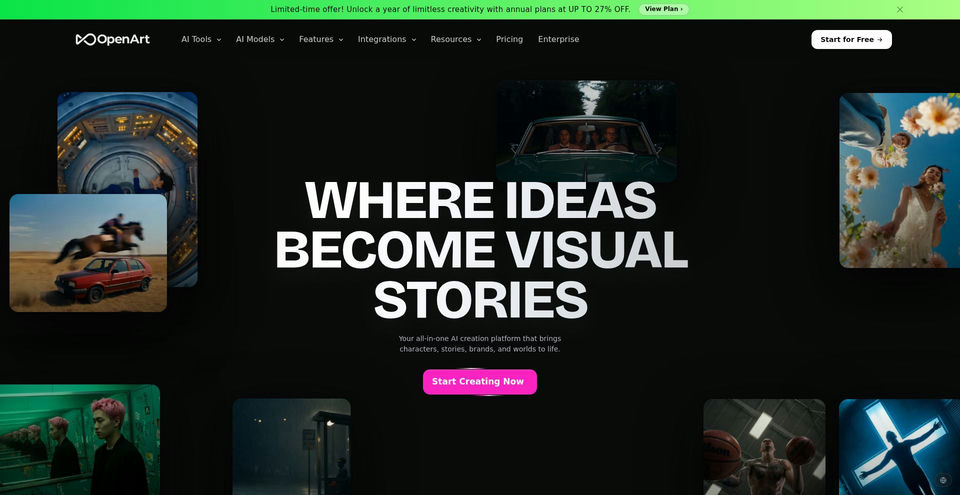
Create and edit AI images, videos, voice, and audio with a broad library of models and tools.
Qu’est-ce que OpenArt ?
Fonctionnalités clés et points forts de OpenArt
Comment l’utiliser
- 1Create an account and choose a tool or describe the image, video, character, or audio you want.
- 2Review the credit cost shown before starting a generation.
- 3Use Director for multi-scene video work, or select a model and generation tool.
- 4For the After Effects workflow, install the macOS plugin, open it from Window → Extensions, drag in a composition as a reference, then place generated media on the timeline.
Cas d’usage et idées
- Create short films, music videos, product ads, and social content
- Generate and edit image, video, voice, and audio assets in one workflow
- Build multi-scene stories with consistent characters using Director
- Generate media from an After Effects composition in a video editing workflow
Limites et points à connaître
- The free tier is limited to 40 credits for new accounts; each generation consumes credits and the cost is shown before generation.
- Monthly plan credit amounts and generation allowances vary by tier.
- The homepage FAQ says monthly credits do not roll over and extra credits are add-ons for paid plans.
- Commercial use rights are listed for Plus and higher plans; the Starter plan does not list them.
- The After Effects installer linked on the official page is a macOS package.
Questions fréquentes sur OpenArt
The homepage FAQ says new accounts receive 40 free credits with no credit card required. Each generation uses credits, and its cost is shown before generation.
The monthly pricing display lists Starter at $14/month, Plus at $34/month, Pro at $56/month, and Wonder at $240/month. Annual billing is a separate option.
The homepage FAQ says monthly credits do not roll over.
The pricing page lists commercial use rights for Plus and higher plans; the Starter card does not list that benefit.
Install the macOS plugin, open Window → Extensions → OpenArt, drag a composition in as a reference, then drag generated images or video onto the timeline.
Spécifications du produit
Ressources et liens officiels
Principales alternatives à OpenArt
Découvrez d’autres solutions de premier plan dans Image et arts visuels · Image, avec un classement vérifié

Create images and videos from text prompts with Midjourney’s generative models.


The open platform for discovering, building, sharing, and deploying machine-learning models, datasets, and AI applications.
Generate AI images, videos, audio, and short-form creative content with a multi-model studio.