Superhuman
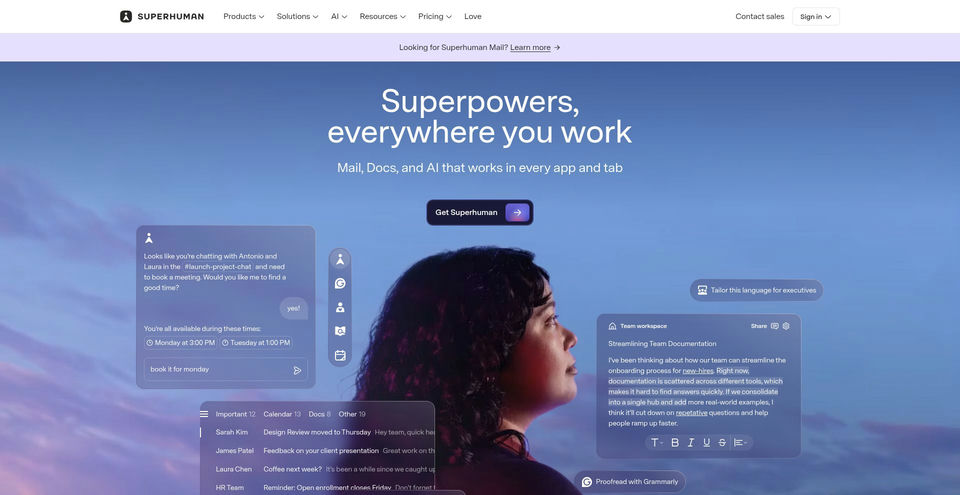
AI-powered Mail, collaborative Docs, and assistants that work across your tools.
Qu’est-ce que Superhuman ?
Fonctionnalités clés et points forts de Superhuman
Comment l’utiliser
- 1Choose Superhuman Mail or connect the Email Assistant with Gmail or Outlook.
- 2Use AI inbox triage to surface important messages and draft replies.
- 3Review and edit suggested replies before sending; set follow-up reminders where needed.
- 4Share email context or snippets with teammates for coordinated communication.
- 5Use Superhuman Docs to draft team documents, trackers, or dashboards with AI.
Cas d’usage et idées
- Reduce time spent triaging and replying to work email.
- Draft follow-ups and maintain a more consistent response cadence.
- Coordinate shared customer or project emails across a team.
- Build collaborative project plans, briefs, trackers, and dashboards in Docs.
Limites et points à connaître
- Superhuman Mail pricing is per member: Starter is $25/member/month billed annually; Business is $33/member/month billed annually; Enterprise pricing is by sales contact.
- Business plan lists a 15% discount for teams of five or more.
- The pricing information captured applies to Superhuman Mail; the Docs page advertises a free trial but did not show a standalone numeric price.
- The captured public pages did not fully specify OS and device requirements.
Questions fréquentes sur Superhuman
The current site presents Mail, Docs, and AI assistants. Mail focuses on email productivity and team collaboration; Docs is a collaborative AI workspace.
Yes. The Email Assistant page says it can sort incoming messages, draft replies in your voice, and remind you to follow up inside Gmail or Outlook.
Starter is $25 per member/month billed annually. Business is $33 per member/month billed annually, with a listed 15% team discount for teams of five or more. Enterprise is sales-led.
Business adds advanced AI, auto drafts, Ask AI, Mail MCP, custom auto labels, and CRM integrations.
The Docs page describes generating trackers, dashboards, and tables from prompts, plus custom interfaces and automations.
The public Docs page advertises a free trial; a standalone ongoing price was not shown in the captured page.