CodeBuddy
An AI coding assistant for IDE, editor-plugin, and CLI workflows.
CodeBuddy은(는) 무엇인가요?
CodeBuddy의 주요 기능 및 특징
사용 방법
- 1Choose CodeBuddy IDE, an editor plugin, or the CLI from the official download and documentation pages.
- 2Install the selected client or plugin, sign in, and open the project you want to work on.
- 3Ask a technical question in Ask mode, request a focused change in Craft, or use Plan for a larger task that spans files.
- 4Reference relevant files with @, or provide a Figma link or screenshot for a design-to-code task.
- 5Review the proposed code changes, test them in your development environment, and use the documented preview or deployment integrations when needed.
활용 사례 및 아이디어
- Get explanations of APIs, code, and technical problems while working in an existing project.
- Generate or revise functions and multi-file features with an AI coding agent.
- Turn Figma designs into front-end code and refine the result against a component library.
- Find bugs or performance issues and prepare code review suggestions or commit messages.
- Connect development tasks to MCP tools or cloud services for preview and deployment workflows.
제한 사항 및 참고 정보
- The plugin setup page says CodeBuddy needs a network connection to access its AI services; it does not offer a fully offline mode.
- The official pricing page shows a time-limited promotion alongside regular prices; current checkout terms may differ after the displayed promotion ends.
- Supported editor integrations differ by client: the setup page lists VS Code, JetBrains IDEs, WeChat Developer Tools, Xcode, and Visual Studio.
- Plan features, model availability, credit usage, and quotas vary by subscription tier and can change; confirm the current plan details before purchase.
CodeBuddy에 관한 자주 묻는 질문
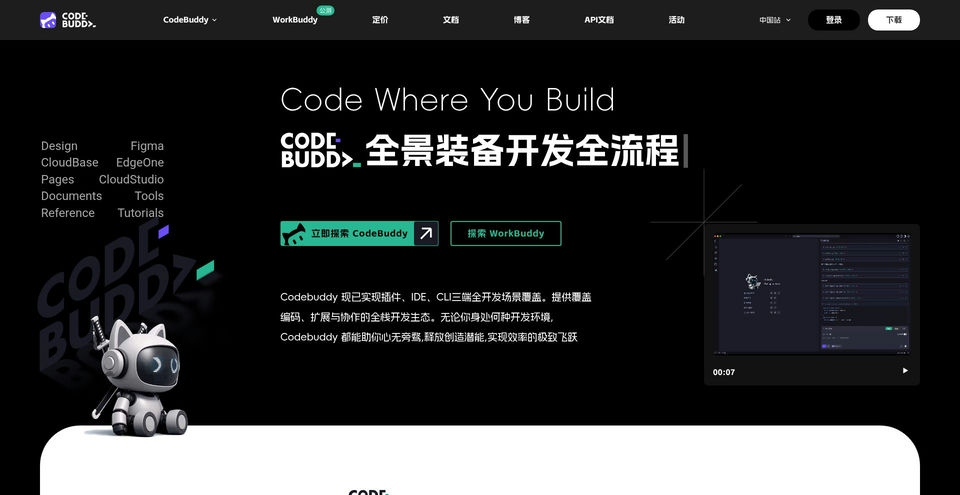
Tencent Cloud CodeBuddy is an AI coding assistant available through an IDE, editor plugins, and CLI workflows. Its official guide describes code chat, completion, agent-assisted coding, Figma-to-code, and development integrations.
The official setup page lists Visual Studio Code, JetBrains IDEs, WeChat Developer Tools, Xcode, and Visual Studio installation paths.
Ask is for technical questions without directly changing code; Craft handles focused code generation or edits; Plan prepares a task list for larger changes that can span multiple files.
Yes. The IDE guide describes importing Figma designs and converting them into maintainable front-end code; access may depend on the required Figma permissions.
No. The official plugin setup page says a network connection is required to access AI services and that the plugin does not provide a fully offline mode.
The pricing page captured on 2026-11-12 lists a free personal tier with 500 monthly credits, plus Standard and Advanced tiers. It displays promotional prices of ¥70/month and ¥140/month respectively, with regular prices shown as ¥99 and ¥199; verify the current checkout page because the promotion is time-limited.
제품 사양
공식 자료 및 링크
CodeBuddy의 주요 대안
순위가 확인된 소프트웨어 및 개발 · AI 코드 어시스턴트의 다른 주요 솔루션을 살펴보세요