Moises App
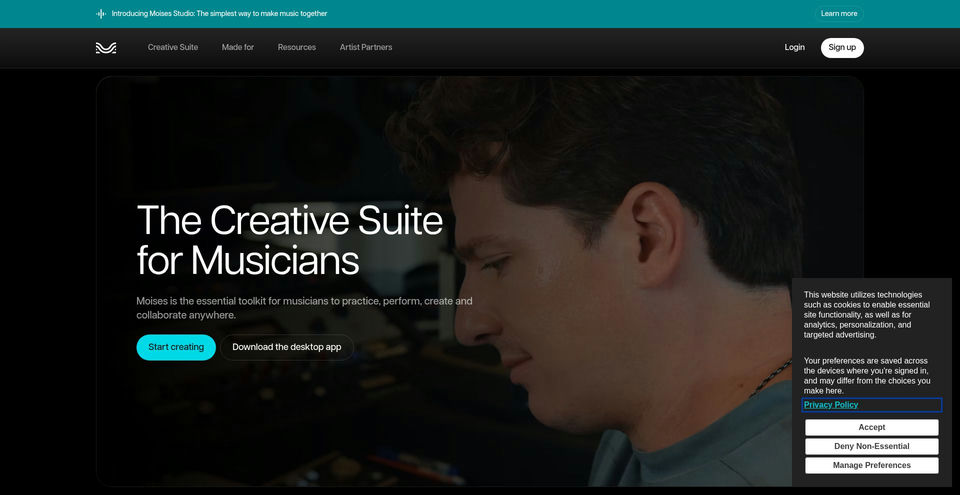
Practice, perform, and produce music with AI audio tools and collaborative studio workflows.
Moises App은(는) 무엇인가요?
Moises App의 주요 기능 및 특징
사용 방법
- 1Open Moises on the web, desktop, iPhone, iPad, or Android and upload a song or audio file.
- 2Choose a stem-separation workflow and select the vocal or instrument parts to isolate.
- 3Mute or solo parts, adjust practice settings such as speed or key, and review the separated audio.
- 4For collaboration, start a Moises Studio browser session to arrange, record, and edit with collaborators.
활용 사례 및 아이디어
- Practice a song with vocals or instruments isolated, muted, or slowed down
- Create clean vocal and instrument stems for remixing or production
- Find chords and transcribe audio while learning or arranging a song
- Record and share performance videos with studio-quality audio
- Collaborate on arrangements and generate parts in Moises Studio
제한 사항 및 참고 정보
- The free tier has a limited number of monthly uploads and a selected feature set; the captured public page does not state the quota.
- The full paid pricing and feature table is linked behind login, so current Pro and other paid amounts were not verified.
- Moises says some stem-separation quality impact is expected; results vary by tool, with higher-quality models producing fewer artifacts.
- Hi-Fi stem separation is listed as available on Pro.
Moises App에 관한 자주 묻는 질문
Moises is a creative suite for musicians with tools for practice, performance, and music production, including stem separation, chord finding, audio speed changes, transcription, and Moises Studio.
The official pages describe 27 stem types, including vocals, drums, bass, guitar, keys, strings, and other instruments. Hi-Fi separation models are listed as a Pro-plan feature.
Yes. The official FAQ lists a browser-based web app, a desktop app, and applications for iPhone, iPad, and Android.
The official FAQ says the free tier includes a limited number of uploads each month and access to selected features. It does not state the numeric upload quota in the captured page.
The official FAQ links to the full pricing and feature table after login. The captured public pages do not show current paid plan amounts.
Studio supports real-time browser sessions for arranging, recording, and editing with collaborators, plus editable stem separation, generated parts, voice conversion, and other instruments and effects.
The official stem-separation FAQ says some impact is expected; the result depends on the tool, and higher-quality models can produce fewer artifacts.
The official homepage FAQ says Moises will not train on user data and says its models are trained only on licensed material with rights-holder approval.
Moises App의 주요 대안
순위가 확인된 오디오 및 음성 · Audio의 다른 주요 솔루션을 살펴보세요