

Cutout Pro
AI tools for editing, enhancing, generating, and animating images and videos.
Cutout Pro nedir?
Cutout Pro Temel Yetenekleri ve Öne Çıkanlar
Nasıl kullanılır
- 1Open a product tool such as background remover, retouch, enhancer, or image-to-video.
- 2Upload an image or video using the product page’s upload control or drag-and-drop area.
- 3Review the preview and adjust the task or model when the tool offers those options.
- 4Use credits to download full-resolution results; the free preview may be lower resolution.
- 5For batch work, use the desktop app for supported image tasks or connect through the API or Shopify plugin.
Kullanım alanları ve fikirler
- Remove or replace backgrounds on product and portrait photos.
- Enhance, upscale, colorize, or retouch images for social and marketing use.
- Create product images and process image batches for e-commerce listings.
- Animate still images or create AI video outputs with supported generation tools.
- Integrate image processing into a business app or workflow through APIs.
Sınırlamalar ve bilinmesi gerekenler
- Most free previews are limited; the Help Center gives background removal previews up to 0.25 megapixels and requires credits for full-resolution downloads.
- Pricing differs by tool: the image pricing page lists background removal and retouching at one credit per image and several other tools at two credits per image.
- The desktop app currently supports image background removal and face cutout, according to the Help Center; other product features are web, app, or API specific.
- The Help Center gives conflicting upload file-size limits of 15 MB and 16 MB; verify the limit in the current upload flow.
- The video-pricing page returned a client-side application error during capture, so current video-specific prices were not verified.
- The Help Center says result images are deleted 60 minutes after processing and download; users should save results locally.
Cutout Pro hakkında sık sorulan sorular
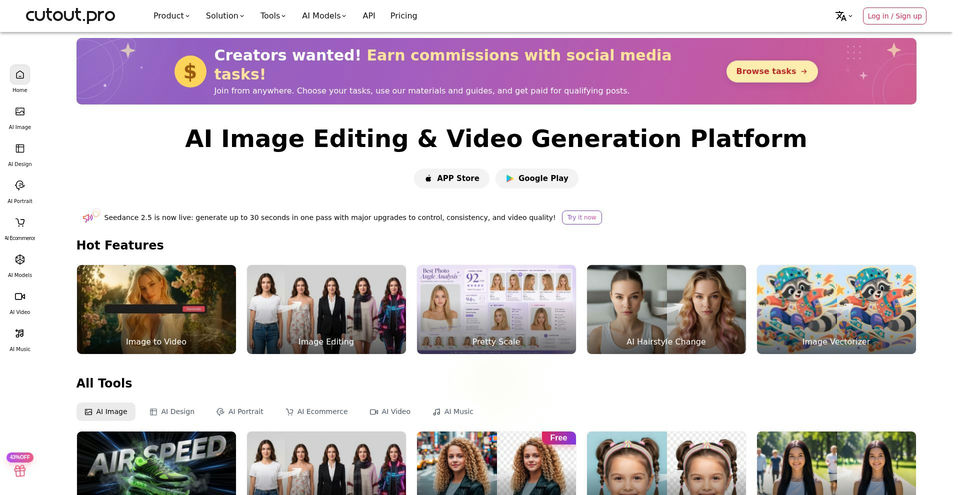
Cutout.pro is a visual AI platform for image and video background removal, retouching, enhancement, colorization, correction, cartoon effects, and photo animation.
The Help Center says most tools offer free previews and new users receive five credits after registration. Background removal previews may be limited to 0.25 megapixels; downloading full-resolution results uses credits.
Credits are the service’s virtual currency for actions such as downloading full-resolution image or video results, and can be used on the website, API, Windows/Mac app, or Shopify plugin.
The Help Center lists JPG, JPEG, PNG, and WEBP and says oversized images are resized up to 16 megapixels. The page has conflicting file-size answers of 15 MB and 16 MB, so confirm the current limit in the upload flow.
Upload an image from a product page or drag and drop it, choose the relevant tool, review the preview, and use credits to download full-resolution output. The desktop app supports batch background removal and face cutout.
Cutout.pro offers a web platform, mobile apps for iOS and Android, a Mac/Windows desktop background-removal app, business APIs, and a Shopify plugin.
The Help Center says result images are deleted 60 minutes after processing and download. This is the stated policy for result images; other data handling may be described separately in its privacy policy.
The image-pricing page lists free previews and subscriptions from 80 credits/month for $5; higher tiers include 170 for $9.90, 300 for $16.90, 550 for $29, 1,000 for $49, and 1,450 for $69. Some image tools use one credit per image and others use two.
Ürün özellikleri
Resmî kaynaklar ve bağlantılar
Cutout Pro için en iyi alternatifler
Doğrulanmış sıralamalarla Görsel sanatlar · Fotoğraf ve Resim Düzenleyici alanındaki diğer öne çıkan çözümleri keşfedin
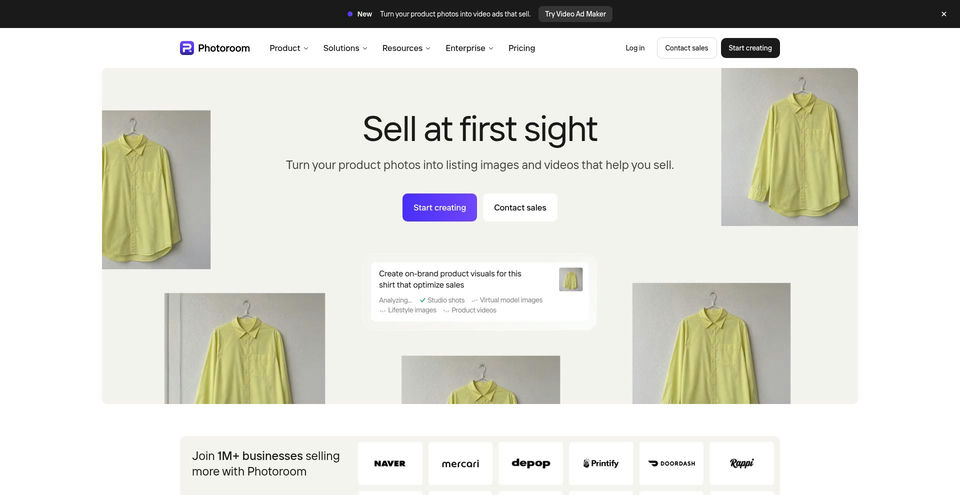

Create polished product photos, remove backgrounds, stage products in scenes, and make short video ads.