Semantic Scholar
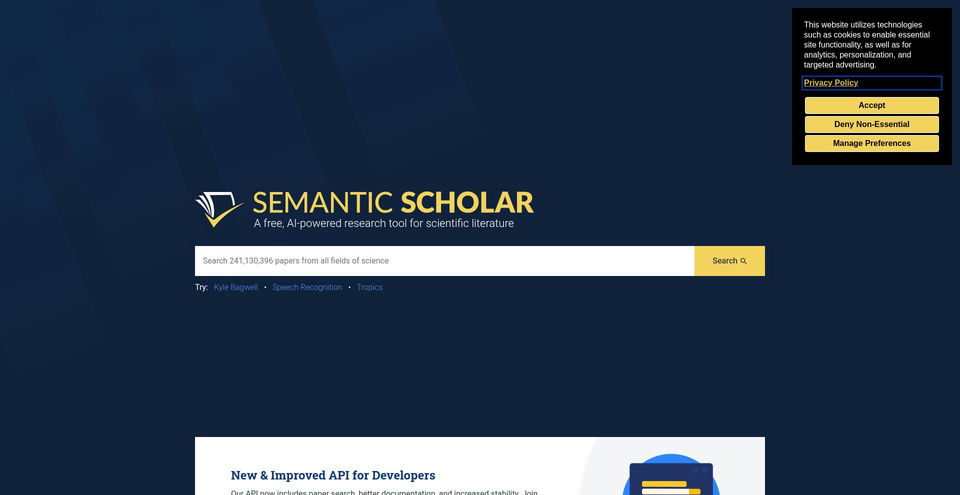
A free, AI-powered search and discovery tool for scientific literature.
Semantic Scholar là gì?
Khả năng và điểm nổi bật của Semantic Scholar
Cách sử dụng
- 1Search for a topic, author, paper title, or other scholarly query.
- 2Refine the results using available filters such as author, publication type, journal, conference, or date range.
- 3Open a result to review its paper details, citations, references, and any available TLDR.
- 4Use the Cite control to export a citation in a supported format.
- 5Sign in to save papers into library folders, share a public folder, or enable a Research Feed for that folder.
Trường hợp sử dụng và ý tưởng
- Find scholarly literature for a new research question
- Scan papers and compare relevant findings across a field
- Trace influential citations and follow references between papers
- Save, organize, and share a reading list with collaborators
- Build scholarly search or recommendation features using the Academic Graph API
Giới hạn và lưu ý
- TLDR summaries are available only for eligible papers; the product page says nearly 60 million papers across computer science, biology, and medicine.
- Some features such as Semantic Reader are available only for selected papers or fields.
- Research Feeds and library folders require signing in.
- API and dataset usage follows separate developer documentation and service policies.
Câu hỏi thường gặp về Semantic Scholar
The official homepage and About page describe Semantic Scholar as a free research tool.
The homepage snapshot displayed search across more than 241 million papers; the API and About pages describe a corpus of over 200 million academic papers. Counts change over time.
TLDRs are short summaries of a paper’s main objective and results. The product page says they are available for nearly 60 million papers in computer science, biology, and medicine.
The Cite control offers BibTeX, MLA, APA, and Chicago formats.
Signed-in users can save papers to a library, organize them into folders, bulk export citations, and share public folders.
Research Feeds use papers in a library folder to recommend relevant new research and can be delivered by email.
Yes. The Semantic Scholar API provides Academic Graph, Recommendations, and Datasets services for scholarly paper, author, citation, venue, recommendation, and dataset access.
Thông số sản phẩm
Tài nguyên và liên kết chính thức
Các lựa chọn thay thế hàng đầu cho Semantic Scholar
Khám phá giải pháp nổi bật khác trong Năng suất và tri thức · Công cụ nghiên cứu với thứ hạng đã xác minh