TurboScribe
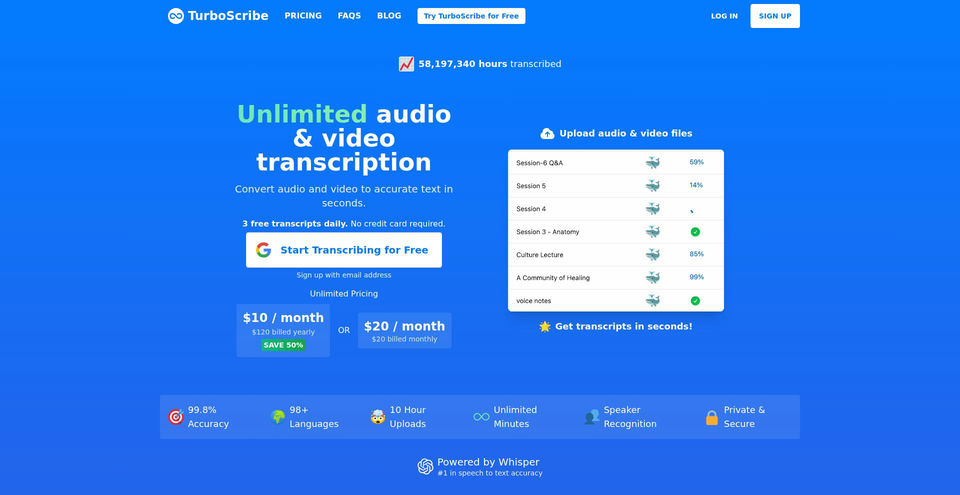
Transcribe audio and video, identify speakers, and translate transcripts in 98+ languages.
TurboScribe 是什么?
TurboScribe 的核心功能与亮点
使用方法
- 1Create or open a TurboScribe account and choose Transcribe Your First File.
- 2Drag and drop an audio or video file, or browse to select it.
- 3Set the spoken audio language, choose a transcription mode, and optionally enable speaker recognition or Restore Audio.
- 4Click Transcribe and wait for the file to appear in your dashboard.
- 5Open the finished transcript to review it against the audio, then translate or export it as text or subtitles.
使用场景与玩法
- Create searchable transcripts from meetings, interviews, lectures, and podcasts.
- Generate subtitles and captions for video publishing or editing workflows.
- Translate recorded speech and subtitle files for multilingual audiences.
- Transcribe long audio and video recordings in batch for research or production work.
- Separate speakers in conversations to make interviews and group discussions easier to review.
限制与注意事项
- The free plan allows three transcripts per day, up to 30 minutes per file, and one upload at a time; free files have lower processing priority.
- Unlimited plans allow files up to 10 hours or 5 GB and batches of up to 50 files, but these limits still apply.
- Transcription accuracy varies with audio quality and language; the Help Center recommends testing modes or restoring difficult audio.
- Automatic speaker recognition can overestimate the number of speakers.
- The reviewed product and help pages document a web service; native mobile or desktop apps were not verified.
关于 TurboScribe 的常见问题
TurboScribe is an AI service that transcribes audio and video into text, powered by Whisper.
Yes. The free plan includes three transcripts each day, with files up to 30 minutes long and one file uploaded at a time.
Free uploads can be up to 30 minutes. The Unlimited plan lists uploads up to 10 hours or 5 GB, with up to 50 files uploaded at once.
The homepage lists 98+ transcription languages and translation of transcripts or subtitles into 134+ languages.
Yes. Enable Speaker Recognition and optionally specify the number of speakers or let TurboScribe detect them automatically; automatic detection can overestimate the count.
TurboScribe lists Cheetah as fastest, Dolphin as balanced, and Whale as most accurate. Its getting-started guide recommends Whale for most files.
The pricing information captured on 2026-11-13 shows $10/month billed yearly ($120 billed yearly) or $20 month to month.
Open the completed transcript and choose an export format, such as DOCX, PDF, TXT, SRT, or VTT.