Wispr Flow
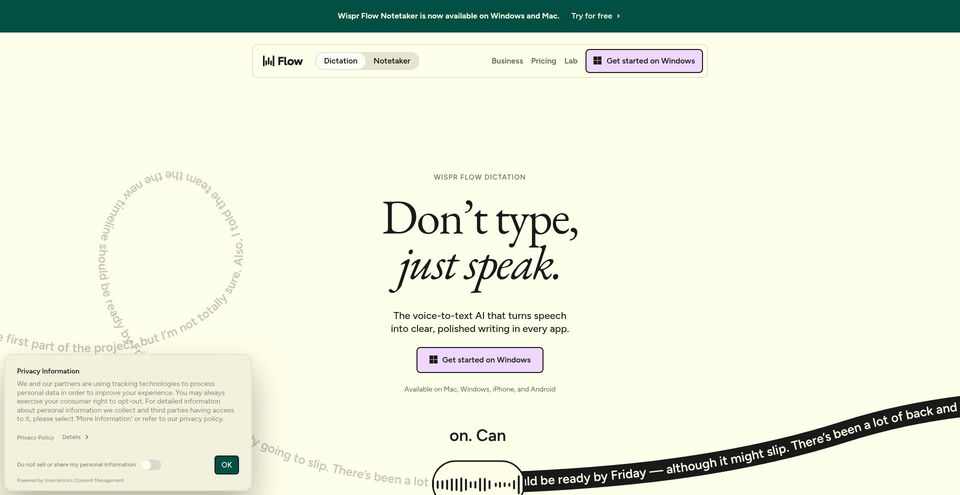
Dictate polished text in any app and turn meetings into searchable notes.
Qu’est-ce que Wispr Flow ?
Fonctionnalités clés et points forts de Wispr Flow
Comment l’utiliser
- 1Install Wispr Flow on Mac, Windows, iPhone, or Android.
- 2Place the cursor in the app where you want text and press the configured dictation shortcut.
- 3Speak naturally; Flow transcribes and polishes the text for the current context.
- 4Use snippets or a custom dictionary for repeated phrases, names, and jargon.
- 5For meetings, use Notetaker on Mac or Windows, then review notes and use them in supported AI tools.
Cas d’usage et idées
- Draft emails, messages, documents, and notes by speaking rather than typing.
- Dictate code comments or other text across desktop apps.
- Capture meeting discussions and use summaries in follow-up work.
- Dictate across languages or specialized vocabulary.
Limites et points à connaître
- Free includes limited Notetaker access; Pro is $12/user/month and Growth $18/user/month on the annual pricing page; Enterprise is custom-priced.
- Notetaker is currently listed for Mac and Windows only; dictation is listed for Mac, Windows, iPhone, and Android.
- Audio capture begins after pressing the shortcut. The site says audio is deleted after transcription unless dictation cloud storage is enabled.
- Using audio, transcripts, and edits to improve models can be managed in data settings; Growth and Enterprise plans have model training off by default and locked by admins.
- Review privacy settings before dictating sensitive information.
Questions fréquentes sur Wispr Flow
The pricing page lists Mac, Windows, iPhone, and Android. It types wherever the cursor is active in supported apps.
The official site advertises more than 100 languages with automatic language detection.
Yes. The Free plan includes limited Notetaker access; Pro includes unlimited history, while Growth lists unlimited Notetaker access.
The annual pricing page lists Pro at $12 per user/month. Growth is $18 per user/month, and Enterprise pricing is custom.
Wispr says audio is captured on-device only after pressing the shortcut and is deleted after transcription unless dictation cloud storage is enabled.
Model improvement can be managed in data settings. On Growth and Enterprise plans, model training is off by default and locked, according to the privacy page.
Spécifications du produit
Ressources et liens officiels
Principales alternatives à Wispr Flow
Découvrez d’autres solutions de premier plan dans Audio et parole · Audio, avec un classement vérifié