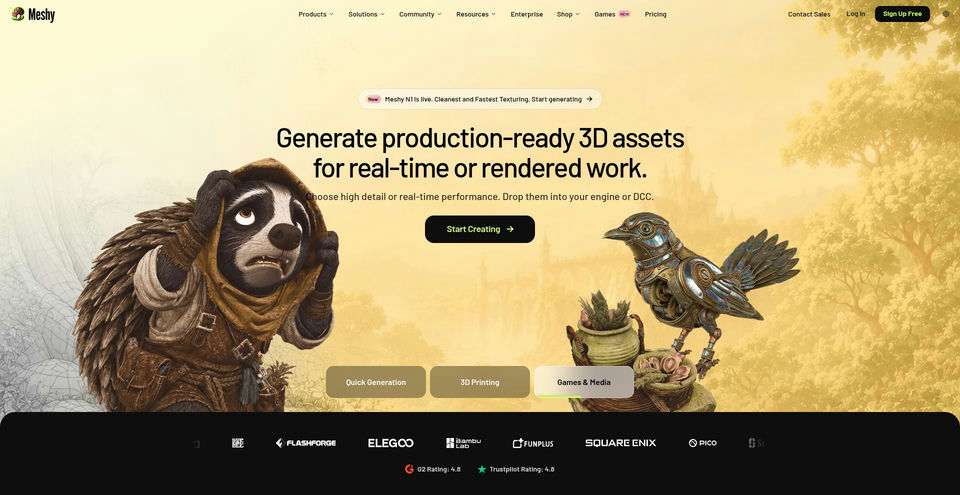
Meshy AI
Create textured 3D assets from text prompts, photos, or sketches.
What is Meshy AI?
Meshy AI Key Capabilities & Highlights
How to use
- 1Choose Text to 3D or Image to 3D in Meshy.
- 2Enter a prompt or upload a PNG, JPG, JPEG, or WebP image (up to 20 MB); optionally add up to four views of the same object.
- 3Choose available generation settings and start a task; generation consumes plan credits.
- 4Review the model, apply texturing, remeshing, rigging, animation, or print-preparation tools as needed.
- 5Download in a format suited to your workflow, such as GLB or FBX for 3D applications and STL or 3MF for printing.
Use cases and ideas
- Turn concept descriptions, sketches, or product photos into 3D prototypes.
- Create game, film, animation, or AR/VR assets from text and images.
- Generate characters, props, and environments, then rig or animate them.
- Prepare models for 3D printing with mesh repair and part-splitting tools.
- Create textures or adapt existing models for Blender, Unity, Unreal Engine, and slicers.
Limitations and things to know
- Image to 3D accepts PNG, JPG/JPEG, and WebP images up to 20 MB; multi-view mode supports up to four views.
- The free plan includes 100 credits/month, up to 10 generated assets, one concurrent task, and low queue priority. Free outputs use CC BY 4.0, requiring attribution even for commercial use.
- Monthly plan credits reset and do not accumulate. Generation volume depends on model and settings.
- Paid plans list private asset licensing; confirm the plan and applicable terms before commercial use.
- Meshy’s Terms say non-Enterprise customer inputs and outputs may be used to train, validate, test, or improve services unless otherwise agreed; customers may opt out by contacting Meshy. Paid customers may opt to keep content private.
- The Terms say API outputs for non-Enterprise customers are deleted three days after generation; web app storage limits may apply.
- No images or prompts were submitted and no generation was run in this review.
Frequently Asked Questions about Meshy AI
Meshy lists text-to-3D, image-to-3D, multi-view image-to-3D, AI texturing, rigging and animation, remeshing, and tools for 3D printing.
The page lists PNG, JPG/JPEG, and WebP images up to 20 MB. Multi-view input supports up to four views.
The official pages list FBX, OBJ, GLB, USDZ, STL, BLEND, 3MF, and DXF.
The pricing page lists 100 monthly credits, up to 10 generated assets, one concurrent task, and CC BY 4.0 licensing with attribution.
The pricing page says CC BY 4.0 allows commercial use with attribution. Follow the license and Meshy Terms.
Paid tiers are listed with a private or customer-owned asset license; check the current plan terms for the precise rights.
The Terms say non-Enterprise inputs and outputs may be used for training, validation, testing, or service improvement unless otherwise agreed; customers can request an opt-out. Paid customers may choose private content handling.
Yes. Meshy lists iOS and Android apps that sync projects with a Meshy account.