

Miro
Bring teams together on a visual workspace for brainstorming, planning, and creating with AI.
What is Miro?
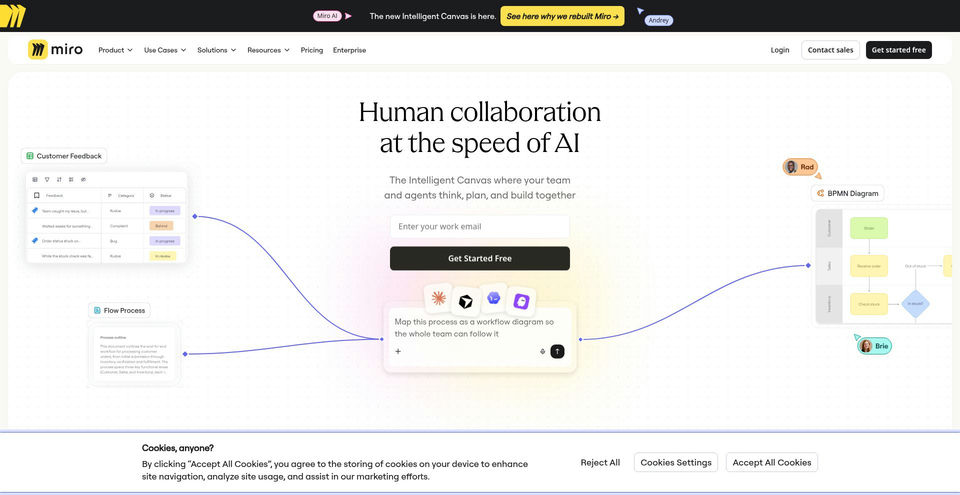
Miro is a collaborative visual workspace for teams to brainstorm, diagram, plan projects, document workflows, and build prototypes. Its canvas supports boards, Docs, Tables, Timelines, Kanban, and Slides, with AI tools for generating diagrams, tables, and summaries.
Miro’s online workspace combines a visual canvas with structured formats and collaboration tools. Teams can start with templates, co-edit boards, use meeting facilitation tools, and connect more than 250 integrations. The current pricing page lists Free, Starter, Business, and Enterprise plans; paid AI credit allowances and capabilities vary by plan.
Miro Key Capabilities & Highlights
Collaborative visual boards for brainstorming and planning
Docs, Tables, Timelines, Kanban, and Slides on the canvas
AI generation of diagrams, tables, and summaries
More than 7,000 Miro and community templates
Over 250 integrations with team tools
Workshop tools including timer, voting, private mode, and notes
How to use
- 1Create a Miro account and start a free workspace or choose a plan.
- 2Create a board or begin from a Miro or community template.
- 3Invite collaborators or share the board with the access level you need.
- 4Add notes, shapes, diagrams, documents, tables, or other canvas formats.
- 5Use AI tools to generate diagrams, tables, or summaries, then refine the results with your team.
Use cases and ideas
- Brainstorming and mind mapping
- Facilitating workshops and team meetings
- Planning roadmaps and project delivery
- Mapping processes and technical systems
- Creating prototypes and synthesizing customer research
Limitations and things to know
- The Free plan keeps only three most recent boards editable; Starter adds unlimited boards.
- Starter is listed at US$8 per member per month when billed yearly; Business at US$20 per member per month billed yearly. Prices and plan details may vary by region or billing choice.
- AI credits and included features depend on plan; current pricing page lists 25 AI credits per member monthly on Starter and 50 on Business.
- Miro’s official apps page lists mobile and desktop apps, but feature availability may vary by device.
Frequently Asked Questions about Miro
Yes. The Free plan costs US$0 and includes three editable boards; the three most recent boards remain editable.
The current pricing page lists Starter at US$8 per member per month when billed yearly.
The current pricing page lists Business at US$20 per member per month when billed yearly.
The pricing page lists AI tools for generating diagrams, tables, and summaries, removing image backgrounds, and connecting external AI tools through MCP.
Miro lists web access, iOS and Android apps, and desktop downloads for macOS and Windows.
Yes. Miro lists timer, voting, private mode, and notes as workshop and meeting facilitation tools.
Product Specifications
Pricing TierFreemium
Price Starting At$8/member/month billed yearly
Platform SupportWeb, Windows, macOS, iOS, Android
Primary CategoryAI Team Collaboration