

OpusClip
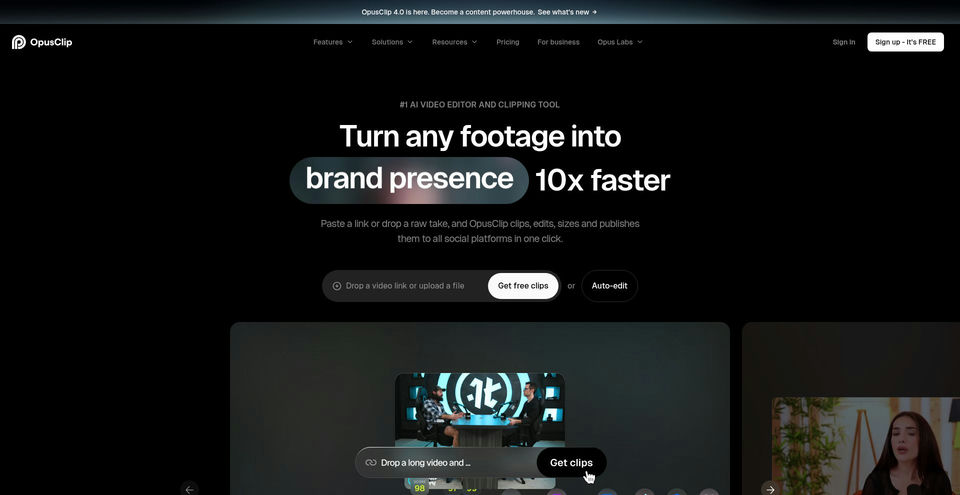
Turn long videos into short, captioned social clips with AI editing and publishing tools.
What is OpusClip?
OpusClip Key Capabilities & Highlights
How to use
- 1Paste a supported video link or upload a local video file.
- 2Describe moments to find with ClipAnything or let OpusClip identify promising segments.
- 3Review selected clips and adjust framing, captions, or edits.
- 4Export the clips or connect a social account and schedule or publish them.
- 5Keep track of monthly credits and the Free plan’s three-day export window.
Use cases and ideas
- Create short social clips from podcasts and interviews
- Repurpose webinars, streams, and long-form videos
- Find specific moments in a video with a text prompt
- Prepare captioned clips for YouTube Shorts, TikTok, or Instagram Reels
- Create branded short-form videos for creators and marketing teams
Limitations and things to know
- The Free plan includes 60 credits per month, watermarks exports, does not include editing, and removes export access to clips after three days.
- Starter is listed at US$15/month; Pro is listed at US$29/month, with an annual Pro offer of US$174 billed yearly. Pricing and plan limits may vary by billing option or region.
- Clip processing uses plan credits, so usage capacity depends on video length and selected features.
- The official pricing page loaded an embedded Cloudflare verification widget; no challenge was solved or account flow opened.
Frequently Asked Questions about OpusClip
Yes. Its Free plan is listed as free forever and includes 60 credits per month, up to 1080p clips, and automatic reframing.
The current pricing page lists Starter at US$15 billed monthly.
It includes 60 credits per month, up to 1080p rendered clips, auto-reframing, and AI captions. Exports have a watermark, editing is not included, and clips stop being exportable after three days.
ClipAnything uses text prompts to find moments in a video that match what the user wants to clip.
The pricing page lists auto-posting to YouTube Shorts, TikTok, and Instagram Reels for Starter, along with social scheduling features on paid plans.
The official help center introduction describes supported links and local uploads; exact supported source sites and upload limits can vary by plan.
Product Specifications
Official Resources & Portals
Top Alternatives to OpusClip
Explore other leading solutions in Video · AI Video Generator with verified rankings



Vidu AI is a powerful AI video generator that creates high-quality videos efficiently and effectively.


Deep Nostalgia Ai Generator transforms old family photos into moving videos, bringing cherished memories to life with AI art and customization options.


Turn any text, article, or story into a video with Tellers.ai. Improve SEO, reach new communities, and create B-Roll for easy video editing.