QuillBot
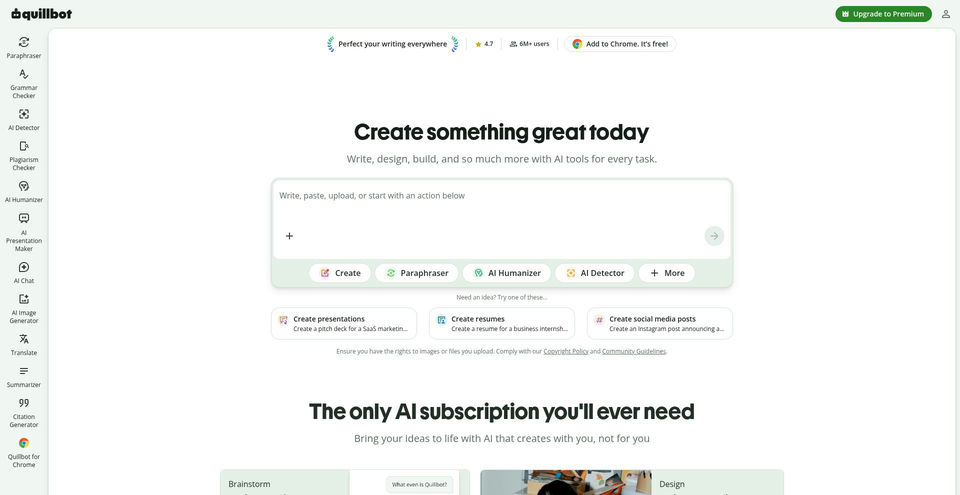
Rewrite, polish, summarize, and create with AI writing and productivity tools.
What is QuillBot?
QuillBot Key Capabilities & Highlights
How to use
- 1Open the tool you need from the QuillBot website, such as Paraphraser, Grammar Checker, Summarizer, or Translator.
- 2Type or paste text into the editor, or upload a supported document where available.
- 3For paraphrasing, choose a mode such as Standard or Fluency, then select Paraphrase.
- 4Review the rewritten text and highlighted changes; adjust the mode or input and run it again.
- 5Copy the result or use Export to save it, then check citations and original sources as needed.
Use cases and ideas
- Rephrase and polish essays, reports, emails, and other drafts while retaining their intended meaning.
- Fix grammar and improve clarity or tone in academic and professional writing.
- Condense longer documents into summaries and translate text between supported languages.
- Create citations and check drafts for possible plagiarism or AI-generated text.
- Brainstorm copy, visuals, and presentation ideas using QuillBot’s newer AI tools.
Limitations and things to know
- The free plan limits paraphrasing to 125 words and two modes; other free tool usage is also limited.
- Premium pricing shown is the monthly equivalent for annual billing; taxes, regional offers, or plan availability may affect checkout.
- AI Detector and plagiarism checks provide signals and should not be treated as definitive proof of authorship or originality.
- Some modes are Premium-only, and usage limits may vary by product surface.
- QuillBot offers many distinct tools; availability and supported inputs differ between the website, apps, and extensions.
Frequently Asked Questions about QuillBot
QuillBot is an AI writing suite for paraphrasing, grammar checking, summarizing, translation, citations, originality checks, and other writing and creation tasks.
Yes. Most tools have free access. The pricing page lists free paraphrasing up to 125 words in two modes, basic grammar fixes, limited humanizing and AI detection, and basic summaries.
Paste or type text in the Paraphraser, choose a mode, click Paraphrase, review the rewrite, and rephrase or export it when it meets your needs.
The Help Center lists Standard and Fluency as free modes with limited usage. Other listed modes, including Formal, Academic, Simple, Creative, Expand, Shorten, and Custom, require Premium.
The pricing page captured on 2026-11-13 shows Premium at $8.33 USD per month billed annually. Confirm the current checkout total and billing term before purchase.
The official site lists web access, Chrome, Edge, and Safari extensions, a Word add-in, and apps for iOS, Android, macOS, and Windows.
No. Its listed tools also include grammar checking, AI detection, plagiarism checking, humanizing, AI Chat, image generation, presentations, translation, summarization, and citation generation.