SeaArt AI
Generate, edit, and share AI images, videos, and characters in a creator community.
What is SeaArt AI?
SeaArt AI Key Capabilities & Highlights
How to use
- 1Choose an image, video, character, or focused editing tool from the SeaArt creation pages.
- 2Enter a prompt or upload an image, then choose a model or template available for that workflow.
- 3Generate or edit the result; review the estimated Stamina or credit cost before starting when the tool displays one.
- 4Save the result privately or share it with the community; when creating a character, set its introduction, settings, opener, voice, and visibility.
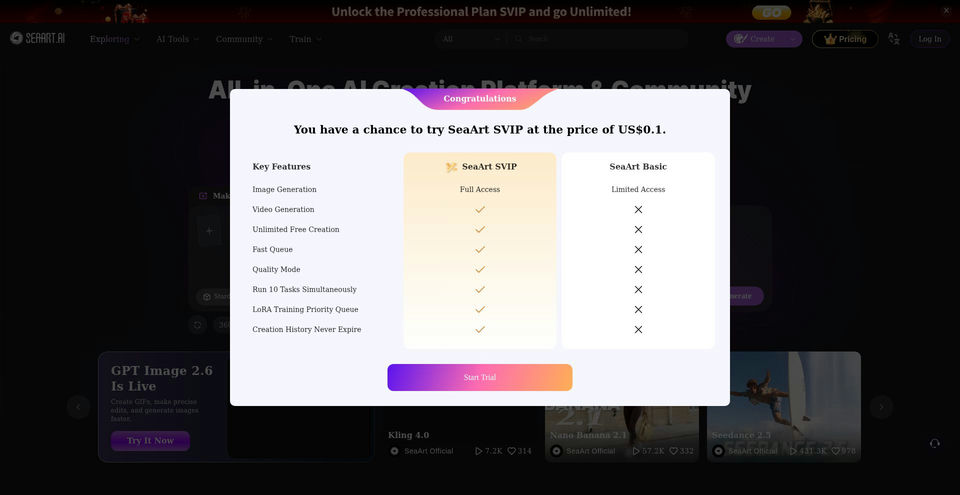
- 5Check the pricing page for current free limits and SVIP Stamina allowances before selecting a plan.
Use cases and ideas
- Create concept art, illustrations, social content, and visual variations from text prompts.
- Generate short videos, image-to-video scenes, and motion effects using supported models.
- Build interactive AI characters and share them with the creator community.
- Remove photo backgrounds or upscale portraits and product images for publishing.
- Remix community workflows and templates to explore new styles and creation ideas.
Limitations and things to know
- Free access is limited; generation consumes Stamina or credits, and usage costs vary by model, feature, and output settings.
- SVIP plan prices and promotional offers can change; the pricing page showed USD monthly prices and a separate discounted annual view at the time of review.
- Character preview/testing consumes Stamina or credits, according to the character creator form.
- Image and video creation routes rendered empty content in the reviewed browser session, so their full controls and exact limits were not independently verified.
- Public characters can be discovered and used by other users; choose private visibility when creations should not be public.
Frequently Asked Questions about SeaArt AI
SeaArt AI is an online AI creation platform and community for generating images, videos, and characters, and for sharing or remixing creations.
Yes. The homepage links to separate image and video creation workflows, along with image and video templates and community creations.
Yes. The character creator supports settings such as a character image, name, gender, introduction, personality settings, opener, tags, voice, scenario, and public or private visibility.
The pricing page lists a free option with limited access and 180 monthly Stamina. Image and video generations may consume Stamina or credits.
The pricing page showed monthly plans at $5.99 for Beginner, $29.99 for Standard, $59.99 for Professional, and $149.99 for Master. Prices and promotions may change.
Plans provide different monthly Stamina allowances, parallel task capacity, and privileges such as private generation, priority queues, high-resolution video, or batch downloads, depending on tier.
Yes. Upload an image to the background-removal tool; it detects and removes the background, after which you can download or save the cutout.
SeaArt links to iOS and Android apps from its official website, in addition to the web platform.