ZeroGPT
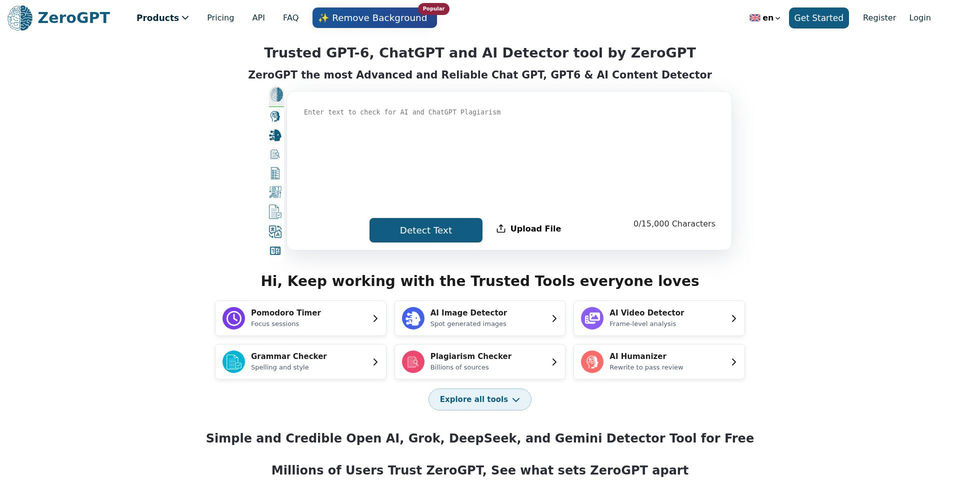
Check text for likely AI-generated passages and review highlighted results.
What is ZeroGPT?
ZeroGPT Key Capabilities & Highlights
How to use
- 1Open the AI Detector on ZeroGPT.
- 2Paste text into the text box or upload supported files.
- 3Select Detect Text and review the highlighted passages and overall score.
- 4Use the relevant writing tool or export a report if needed; treat detector results as an estimate.
Use cases and ideas
- Review drafts for passages that may appear AI-generated.
- Check multiple submitted documents through the dashboard upload workflow.
- Run text through grammar, summary, translation, or paraphrasing tools.
- Integrate detection or selected writing utilities into an organization workflow through the API.
Limitations and things to know
- The homepage input is limited to 15,000 characters; the page points users to an upgrade for checks up to 350,000 characters.
- The pricing page lists paid Personal plans, Business/EDU plans, Enterprise contact sales, and pay-as-you-go API, but exact plan prices were not visible in the captured page.
- Detection scores are estimates and may misclassify human or AI-written text; the vendor accuracy claims are not independent validation.
- WhatsApp and Telegram usage requires registering the account in the dashboard.
Frequently Asked Questions about ZeroGPT
The service identifies text it estimates may be AI-generated and highlights sentences with an associated percentage gauge.
The homepage detector shows a 15,000-character limit and points to an upgrade for checks up to 350,000 characters.
The official homepage advertises batch file uploads that are checked in the dashboard.
The homepage says it can automatically generate PDF reports for detections.
Yes. The pricing page lists pay-as-you-go API plans; the site describes detection and selected writing-tool API access.
The captured pricing page lists Personal, Business/EDU, Enterprise, and API plan types, but did not display exact numeric prices.
The homepage advertises WhatsApp and Telegram access after registering the account in dashboard settings.